

About page
Every evaluation in EVAL has an About page that provides clinical context beyond the evaluation itself — who created it, what research supports it, and how it's categorized. This is where you go to understand an evaluation's background before using it with patients, or to update metadata as a builder.
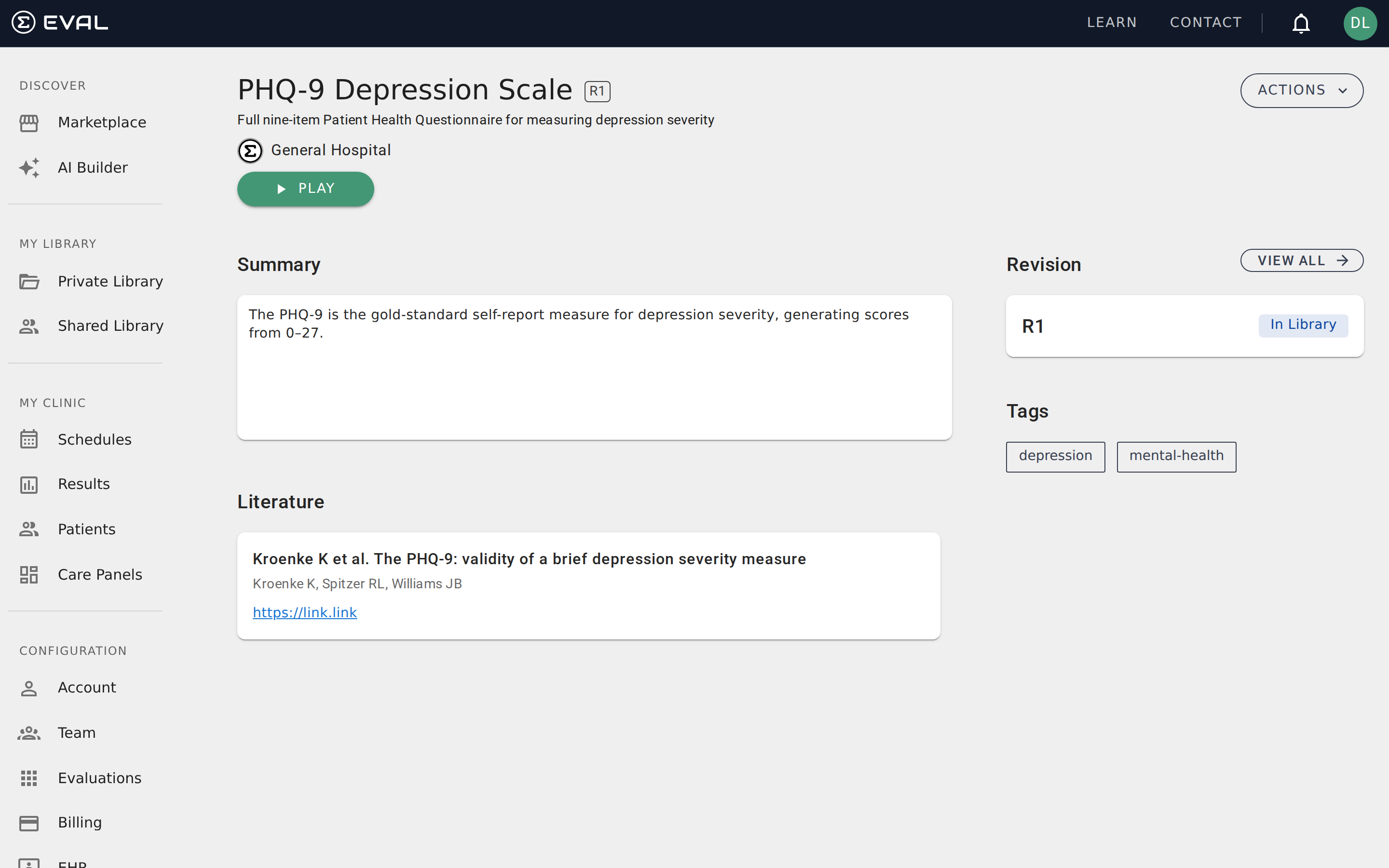
Viewing the About page
Open any evaluation and click About from the Actions menu (or navigate to /:slug/about) to see the full background information. The page is organized into several sections, each reflecting metadata set in the Builder's General tab.
Summary displays the evaluation's description and any instructions the builder added for context. This helps practitioners understand the tool's purpose and intended use before running it with patients.
Attribution credits the people and organizations who contributed to the evaluation. Attribution entries can link to EVAL member profiles or include manual text entries for external contributors.
Literature lists supporting research references. Each entry shows the publication title, authors, and a link to the source — typically a journal article or clinical guideline that informed the evaluation's design. This section helps researchers and clinicians assess the evidence base behind the tool.
Tags categorize the evaluation with descriptive labels like "depression," "pediatric," or "screening." Tags make evaluations discoverable in Marketplace search and help users find related tools. If you have edit access, you can update tags directly from the About page using the Update Tags button, which opens an autocomplete search for adding or removing tags.
Who can edit metadata
Only users with edit access to the evaluation can modify About page content. If you're viewing someone else's public evaluation, the About page is read-only — you can review the information but not change it. To request changes, contact the evaluation's owner through the attribution section.
For evaluations you own or have edit access to, the same information is managed through the Builder's General tab, where you can update the summary, attribution entries, literature references, and tags.
Related pages
The Player
Complete evaluations in EVAL's Player — navigate sections, answer questions, track your progress, and view calculated results.
Evaluation revisions
Track evaluation version history, view published and draft revisions, deprecate outdated versions, and clone evaluations as starting points for new ones.