

Browsing the Marketplace
If you prefer to explore rather than search for a specific tool, the Marketplace home page offers two browsing paths that surface evaluations without requiring you to know what you're looking for.
Featured spotlight
The rotating carousel at the top of the Marketplace highlights evaluations selected by the EVAL team. Each spotlight card shows the evaluation name, publishing organization, a brief description, and two action buttons: Read More (opens the evaluation's About page with full details) and Play (opens the evaluation in the Player so you can try it immediately).
The spotlight cycles through featured evaluations automatically every 20 seconds, and you can navigate between them using the pagination dots below the carousel. Featured evaluations are chosen to represent a range of clinical specialties and use cases.
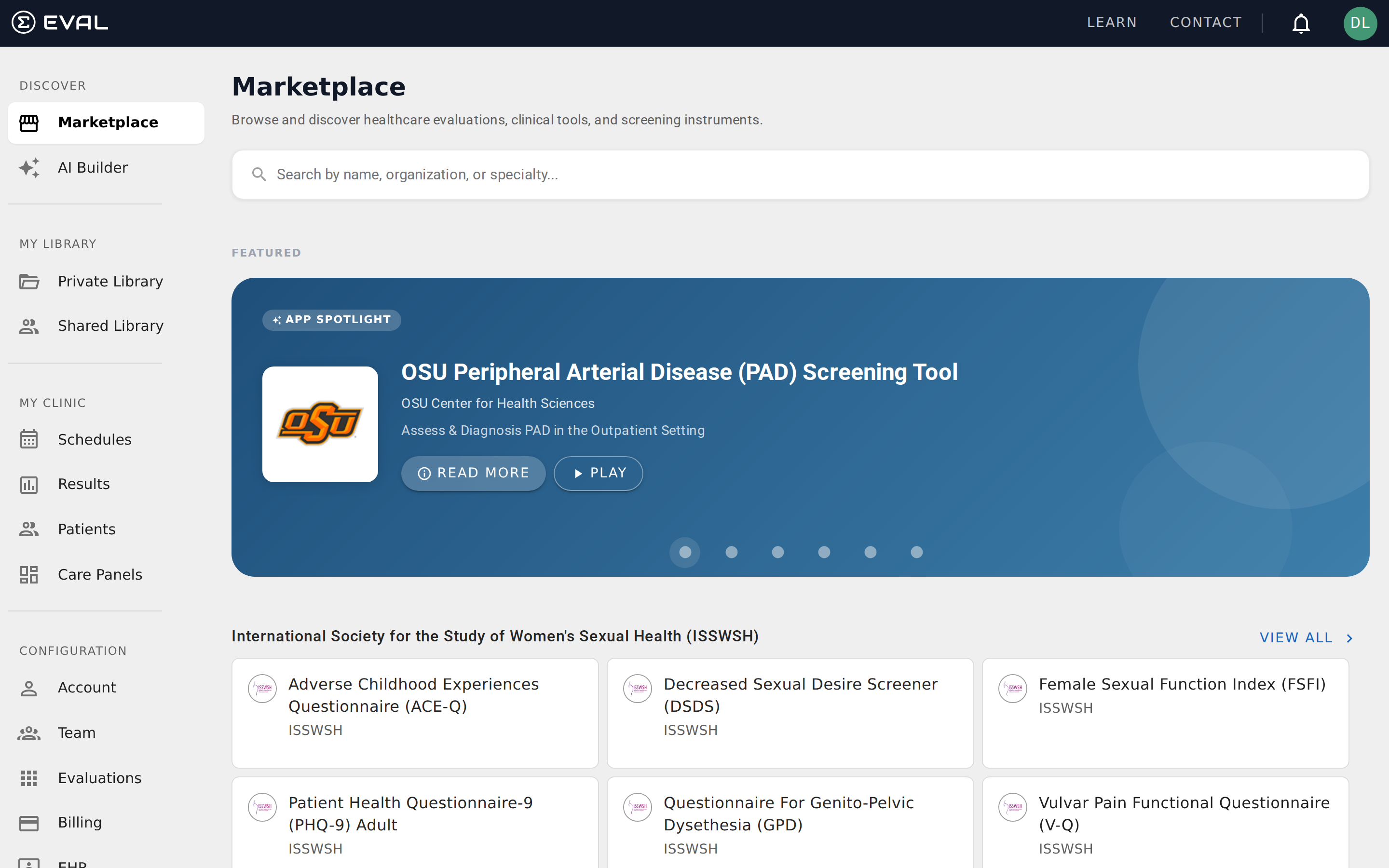
Collection bands
Below the spotlight, evaluations are organized into collections — curated groups built around clinical themes like "Mental Health Essentials" or "Surgical Outcomes." Each collection appears as a horizontal band showing up to nine evaluation cards, with a View All link to see the complete collection.
Collections are managed by the EVAL team and can be time-limited — some may appear during specific awareness months or conference seasons, then rotate out. Scroll down the Marketplace home page to browse all available collections. See Collections for details on navigating and exploring collection contents.
Evaluation cards
Evaluations appear as cards throughout the Marketplace — in collection bands, search results, and collection detail pages. Each card shows the evaluation's name and publishing organization, along with the organization's logo when available. Click any card to open the evaluation in the Player, where you can answer questions and view results without adding it to your Library.
Adding evaluations to your Library
When you find an evaluation you want to use with your patients, you can add it to your Library directly from the evaluation's Actions menu. This creates a reference to the evaluation in your Private Library — the original stays in the Marketplace, and you get convenient access from your Library without duplicating anything.
For a detailed look at what information is available before you add an evaluation — including the summary, literature references, revision history, and tags — see Evaluation preview.
Getting started
Marketplace
Browse and discover public healthcare evaluations, clinical tools, and screening instruments shared by organizations across the EVAL community.
Search
Search the EVAL Marketplace to find clinical evaluations by name, description, tag, organization, or category, then open any result in the Player.