

Collections
Collections are curated groups of evaluations organized around a clinical theme, specialty, or use case. Rather than searching for individual tools, you can browse a collection like "Mental Health Essentials" or "Surgical Outcomes" to find a set of related evaluations that work well together for a specific clinical program.
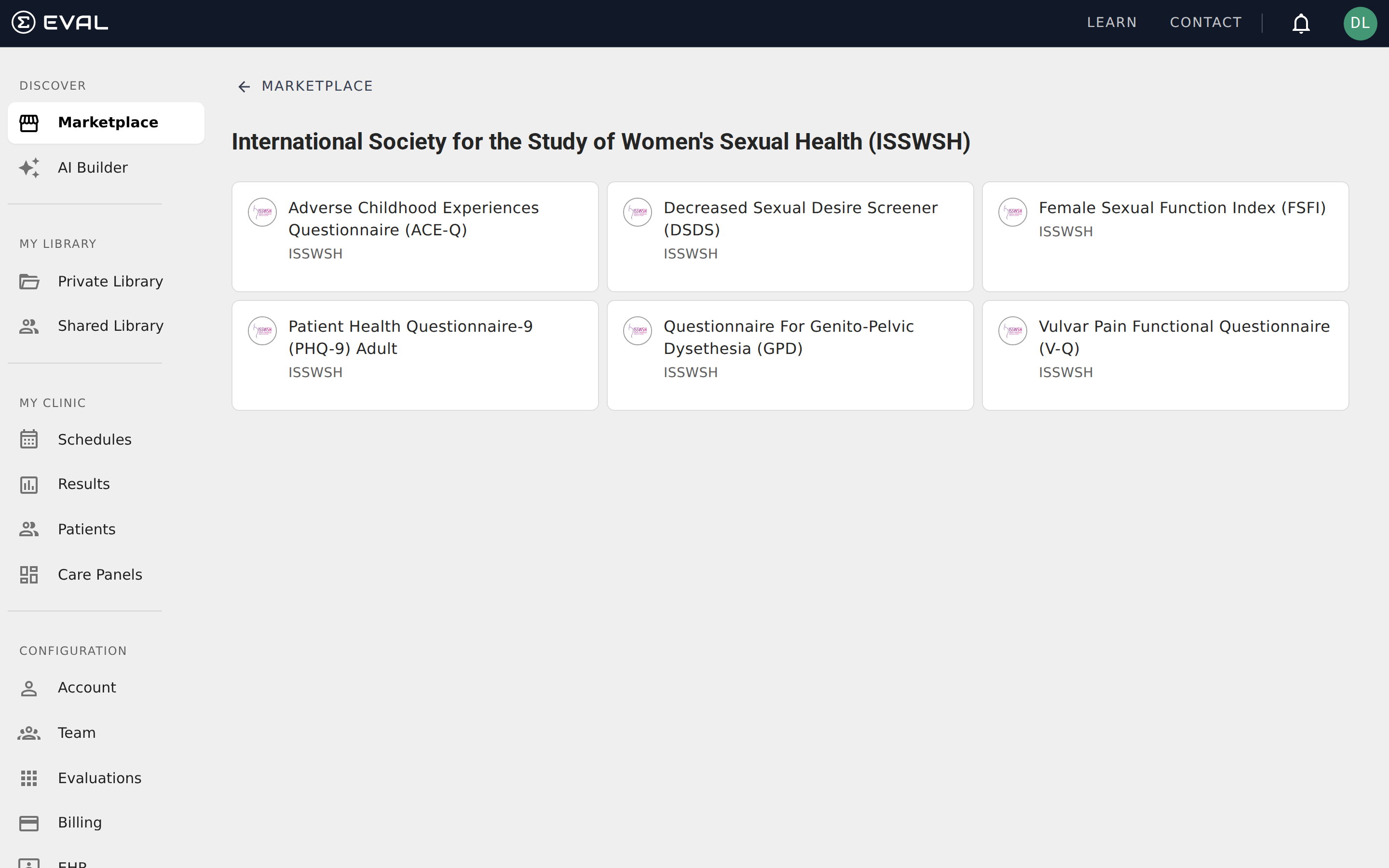
How collections appear on the Marketplace
Each collection shows up as a horizontal band on the Marketplace home page, with the collection name as a heading and evaluation cards arranged in a grid below it. Collections display up to nine evaluations on the home page — if a collection contains more, a View All link appears at the right edge of the heading, taking you to the full collection page.
Collections are ordered by the EVAL team and may change over time. Some collections are tied to specific periods — an awareness month, a conference, or a seasonal campaign — and appear or disappear accordingly. The evaluations inside a collection remain in the Marketplace regardless of whether the collection is currently visible.
Viewing a full collection
Click View All on any collection band to open its dedicated page. The collection page shows:
- A back link ("← Marketplace") to return to the Marketplace home
- The collection title and description explaining the theme or intended use
- All evaluations in the collection, displayed as cards in a three-column grid
The collection page doesn't have its own search or filter — it shows every evaluation in the collection at once. If the collection is large, scroll down to see all entries. Click any evaluation card to open it in the Player.
What's in a collection
Each collection is assembled by the EVAL team around a coherent clinical theme. A collection typically includes:
- Standardized instruments — Validated screening tools and questionnaires commonly used in the clinical area
- Specialized assessments — Tools developed by research institutions or healthcare systems for specific patient populations
- Supporting tools — Checklists, calculators, or outcome tracking instruments that complement the core assessments
The evaluations within a collection can come from different organizations. A single collection might include a PHQ-9 depression screen published by one institution alongside a sleep quality assessment from another, united by their relevance to behavioral health.
Collections vs. Library folders
Collections and Library folders both group evaluations, but they serve different purposes:
Collections are curated by the EVAL team for discovery — they help you find relevant evaluations in the Marketplace. You can't modify, reorder, or create collections yourself.
Library folders are created by you for organization — they help you arrange evaluations you've already added to your Library. You have full control over folder names, nesting, and which evaluations go where.
Think of collections as the curated shelf displays in a bookstore (designed to help you discover), and Library folders as your own bookshelves at home (organized however works best for you).
Adding collection evaluations to your Library
You can add any evaluation from a collection to your Library by clicking into it and selecting Add to My Library from the Actions menu. There's no way to add an entire collection at once — each evaluation is added individually, which lets you pick only the tools relevant to your program.
Once added, evaluations from the collection appear in your Private Library alongside your other tools. They function identically to any other evaluation in your Library — you can schedule them for patients, include them in Care Panels, and share them with your team.
Common use cases
Launching a new clinical program — When your practice adopts a new service line, browse the relevant collection to find a baseline set of screening tools. Add the most relevant evaluations to your Library, organize them into a folder, and you have a ready-made toolkit for your clinical team.
Exploring a specialty — If you're unfamiliar with the standard assessments used in a particular clinical area, collections provide a curated introduction. Reviewing the evaluations in a collection — their summaries, literature references, and scoring — gives you a quick overview of the tools commonly used in that specialty.
Comparing similar tools — Collections often include multiple evaluations that address the same clinical need from different angles. For example, a mental health collection might include both a brief depression screener and a comprehensive mood assessment, letting you compare approaches and choose the best fit for your workflow.
Getting started
Search
Search the EVAL Marketplace to find clinical evaluations by name, description, tag, organization, or category, then open any result in the Player.
Evaluation preview
Review an evaluation's summary, literature references, revision history, and tags before adding it to your EVAL Library from the Marketplace.