

What is EVAL Health
EVAL Health is a platform for healthcare practitioners, clinical researchers, and care teams who need to build and deploy clinical evaluation tools without relying on IT departments or software developers. You design assessments using a visual builder, deliver them to patients through multiple channels, and track outcomes across your entire population — all from one platform.
The core idea is simple: the people who understand clinical workflows best should be the ones building the digital tools that support them. EVAL provides the software infrastructure so you can focus on the clinical content.
What you can build
With EVAL, you create clinical evaluations — interactive tools that collect patient data, calculate clinical scores, and display results. These aren't simple forms. Each evaluation can include conditional logic, validated scoring algorithms, and branching pathways that adapt based on patient responses.
Common examples include patient intake questionnaires, standardized clinical assessments (like the PHQ-9 or GAD-7), post-operative follow-up protocols, research data collection instruments, and clinical decision support calculators. You build all of these in the same visual Builder using sections, questions, results, and visibility rules.
Once published, your evaluations live in your organization's Library and can be shared with the broader healthcare community through the Marketplace.
Two applications, one platform
EVAL consists of two applications that work together:
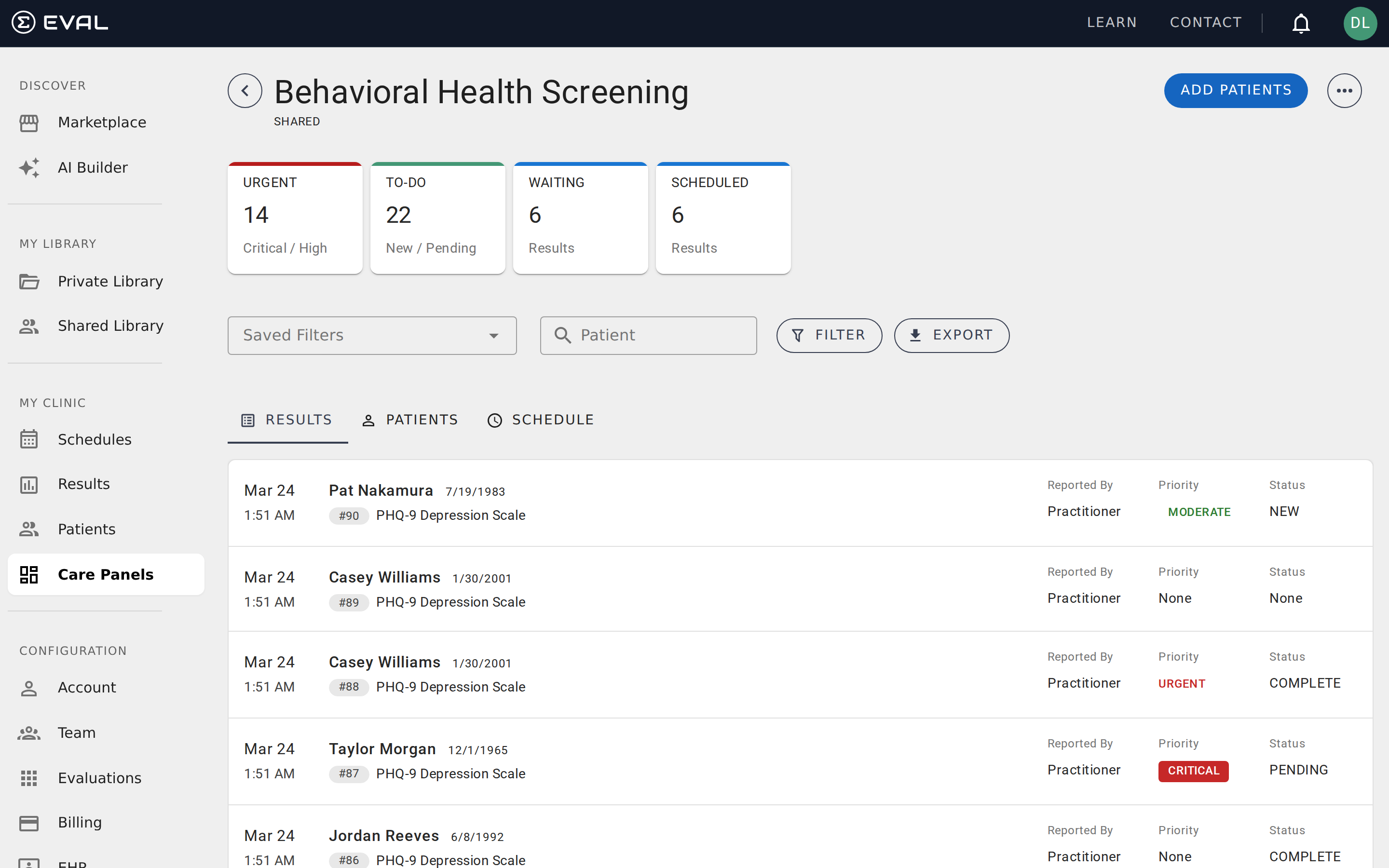
The clinician platform is where your team does its work. You build evaluations, manage patient records, schedule assessments, review results, and configure your organization's settings. The clinician platform is organized around a persistent left sidebar with sections for discovery, your library, clinical workflows, and administration. See Navigating EVAL for a complete walkthrough of the interface.
The patient portal is where patients interact with your evaluations. Patients log in to view their scheduled assessments, complete evaluations, and review their results over time. The portal can also deliver assessments without requiring patients to create accounts — through anonymous intake links, email task links, or kiosk-mode sessions.
Both applications share the same underlying patient data, so when a patient completes an evaluation in the portal, the results appear immediately in the clinician platform's patient charts and Care Panels.
Who uses EVAL
EVAL serves several audiences, each using the platform differently:
Healthcare practitioners — nurses, physicians, care coordinators, and clinic managers — use EVAL to standardize clinical assessments, automate patient intake, and monitor outcomes across their patient population. They work primarily in Care Panels, patient charts, Schedules, and Results.
Clinical researchers — principal investigators, research coordinators, and study managers — use EVAL to collect structured patient-reported outcomes, manage study cohorts, schedule assessment protocols, and export clean data for analysis. They rely heavily on Care Panels for cohort management, public intakes for enrollment, and data export for downstream analysis.
Evaluation builders — often the same clinicians and researchers, sometimes specialized content developers — create and maintain the evaluations themselves using the Builder. No coding background is needed; the builder uses a visual interface with drag-and-drop sections, point-and-click question creation, and spreadsheet-style formula editing.
Administrators — IT managers, practice managers, and account owners — configure the organization's EVAL account, manage team members, connect EHR systems, and handle billing. They work in the Account Administration section.
Patients complete evaluations assigned by their providers, view their results, and track their progress over time through the patient portal.
How EVAL fits into your workflow
EVAL is designed to complement your existing clinical systems, not replace them. If your organization uses an electronic health record (EHR) system like Epic, Cerner, or Athena, you can connect it to EVAL through FHIR-based integrations to synchronize patient demographics, launch evaluations directly from clinical workflows, and push assessment results back to the patient chart.
For organizations without EHR integration — or for research teams that manage participants independently — EVAL works as a standalone platform. You can create patient records manually, invite patients via email or text, and use public intake links to collect data from anyone with a web browser.
Security and compliance
EVAL is built for healthcare, which means patient data protection is foundational. Clinical Team and Enterprise plans include HIPAA compliance with a Business Associate Agreement (BAA), GDPR compliance with a Data Protection Agreement (DPA), and enterprise-grade encryption for data at rest and in transit.
Audit logging, role-based access controls, and session management ensure that your organization maintains appropriate oversight of who accesses patient data and when. Enterprise plans add SSO integration and complete audit trail tracking.
Getting started
The fastest path to understanding EVAL is to explore it hands-on. If you have an account, sign in and navigate the sidebar to see what's available. If you're new to the platform, reading Key concepts next will give you the vocabulary you need to understand the rest of this documentation. For a guided introduction to the interface itself, see Navigating EVAL.
Introduction
Learn what EVAL Health is, explore the platform's key concepts, understand the navigation, and choose the right plan for your organization.
Key concepts
Learn the core vocabulary behind EVAL — evaluations, revisions, sections, questions, results, formulas, Care Panels, schedules, and more.